
機器人與角色|Bots and Roles
初次使用 LumineOne AI 好煩惱!在系統內,要設定角色,成員也要設定角色,機器人也要設定角色,到底是什麼意思?別擔心,這個單元中,將會了解角色的重要性,以及角色和其他功能間的關聯~
It's so confusing when using LumineOne AI, especially if we have to deal with difficulties in role setting, member-role setting, and bot-role setting. Don't worry! This section introduces the importance of Role, and how it works with other modules.
什麼是角色?
What is Role?
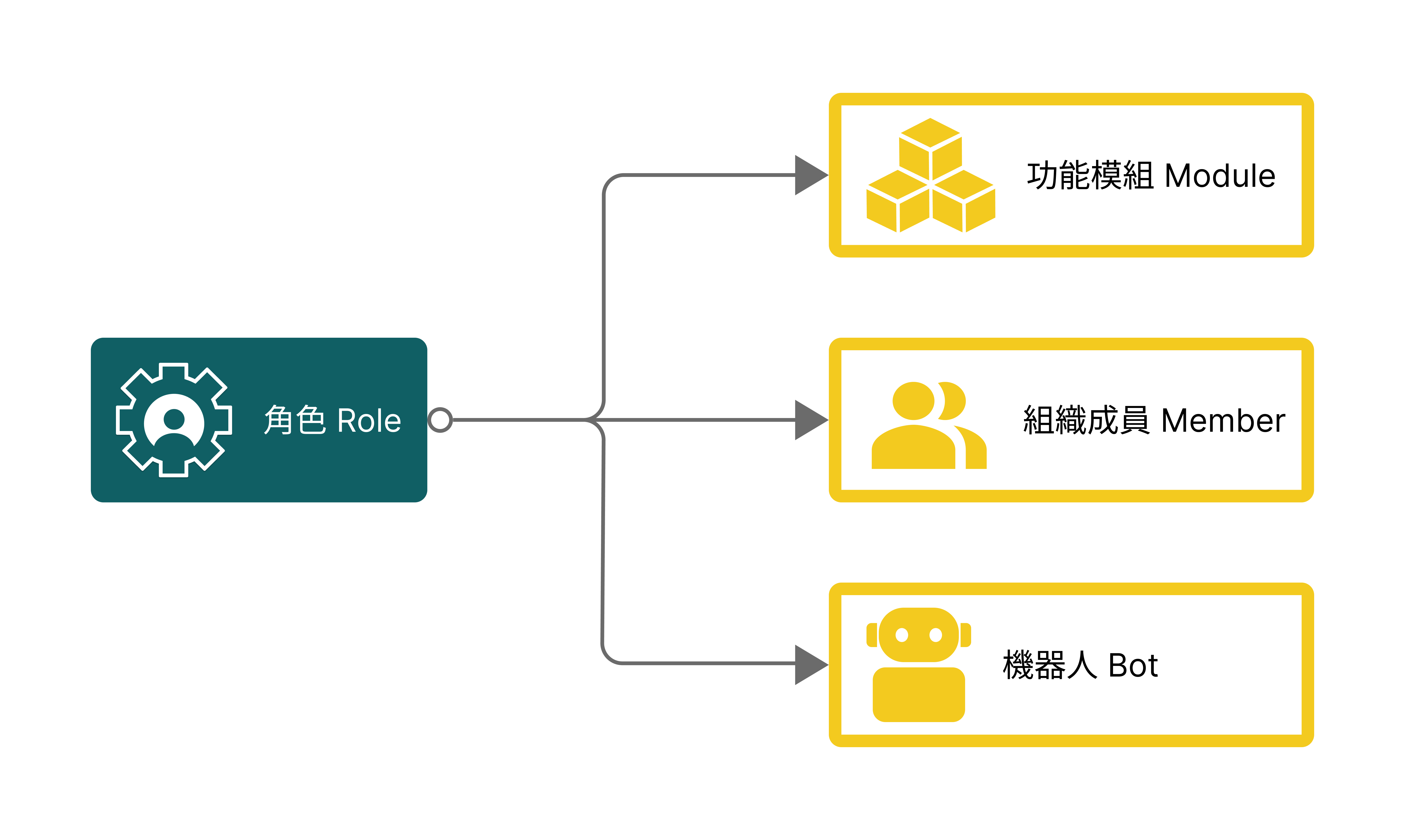
以角色為基礎,創建了一個角色後,需綁定該角色可使用的功能模組。
LumineOne AI is based on a "role" structure. After creating a role, you need to bind the functional modules that the role can access.
未來新增組織成員時,可針對該成員,選擇指定角色。設定完成後,成員就可以使用該角色綁定完成的功能模組囉!
When adding new members, you can assign specific roles to them. Once the setup is complete, members will have access to the functional modules linked to their assigned roles.
同樣地,新增機器人時,也可針對該機器人,選擇可使用此機器人的角色。
In the same way, when creating a new bot, you can select the roles that the bot is permitted to utilize.
舉例來說 For example...
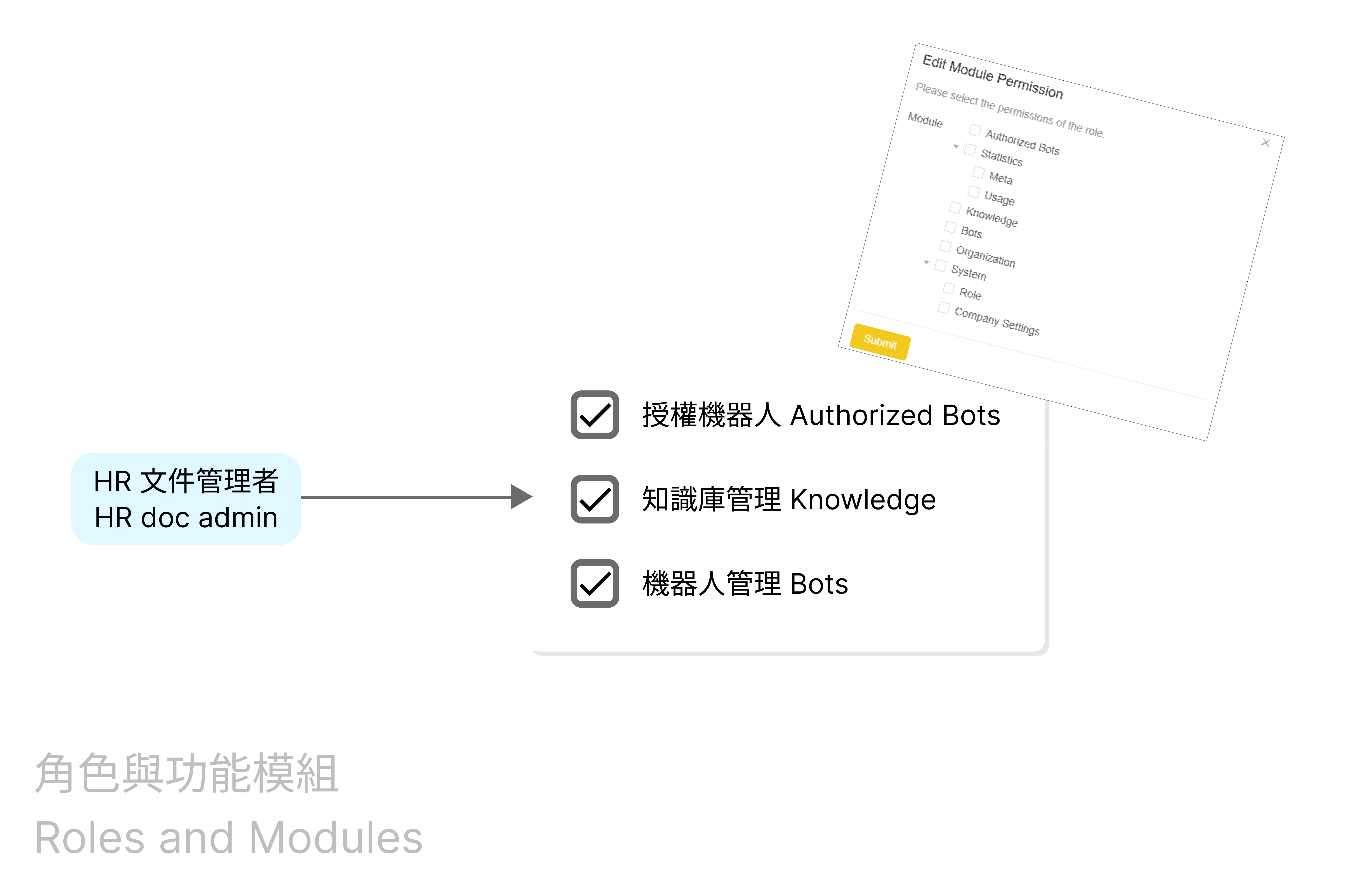
假設公司需要【HR文件管理者】上傳員工規範、創建/管理規範的機器人、使用機器人進行對話。
Imagine there's a role [HR doc admin] who needs to upload HR regulations, create and manage a specific Bot with specific knowledge, and initiate Bots to have a conversation.
那麼,功能模組中,必須勾選「授權機器人」、「知識庫管理」、「機器人管理」分別執行上述任務。
Then, "Knowledge", "Bots", and "Authorized Bots" should be clicked to execute tasks above respectively.
**(註):以一間公司來說,常用角色包含系統管理者、機器人(前台)使用者、後台使用者。
**Note: Generally, for a company, frequently used roles may be system admin, Bot(front-end)user, and back-end user.
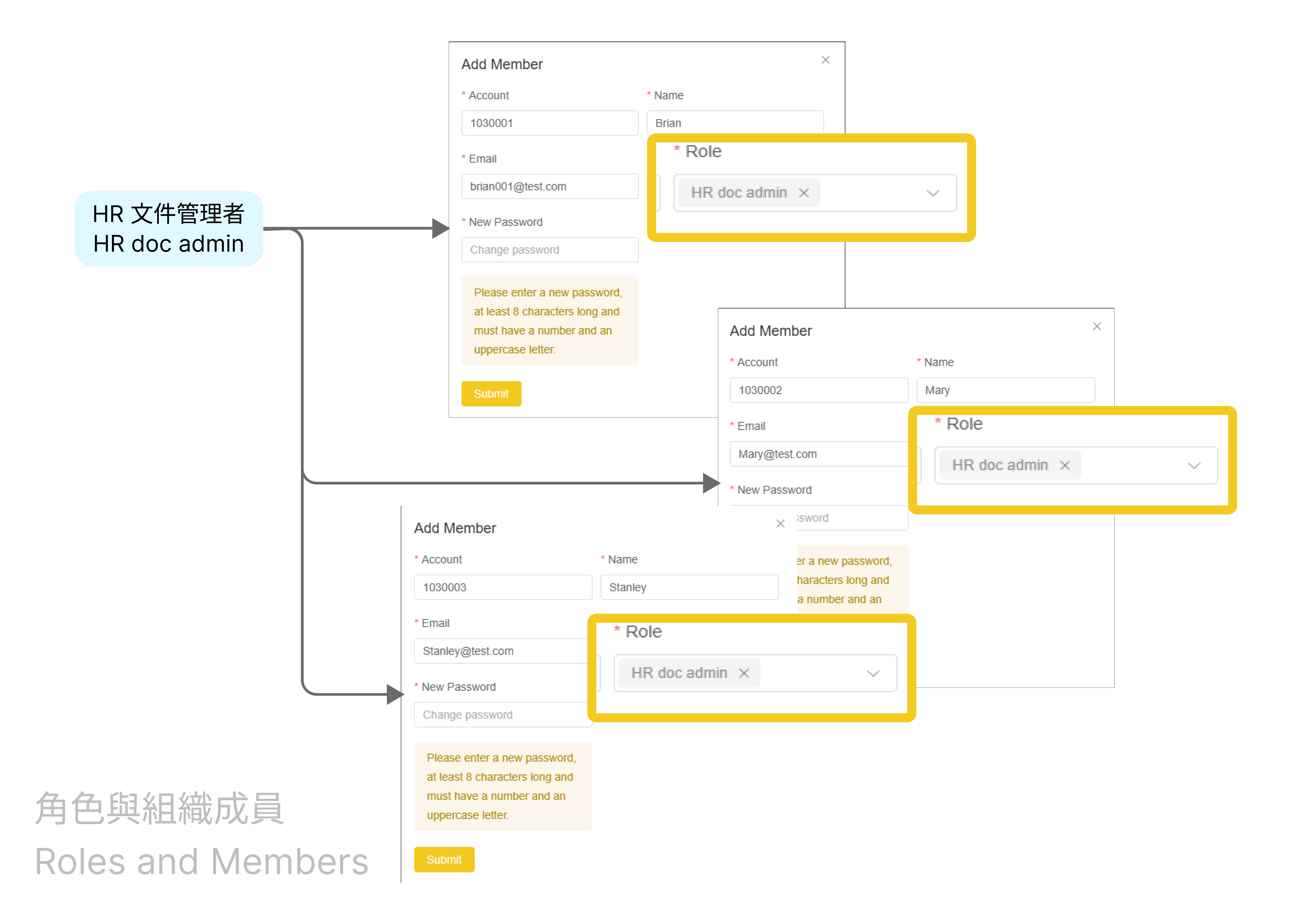
假設一間公司,需要一位【HR文件管理者】,以利上傳員工規範、創建並管理規範的機器人、使用機器人進行對話。
Imagine a role [HR doc admin] in a company, who needs to upload HR regulations, create and manage a specific Bot with specific knowledge, and initiate Bots to have a conversation.
那麼,功能模組中,則必須勾選「授權機器人」、「知識庫管理」、「機器人管理」以分別執行上述任務。
Then, "Knowledge", "Bots", and "Authorized Bots" should be clicked to execute tasks above.
**(註):每一位成員,可能會有一個以上的角色,例如,有的同仁可能身兼系統管理者與後台使用者。
**Note: Each member should be given one or more role(s). For instance, some members might be system admin and back-end user at the same time.
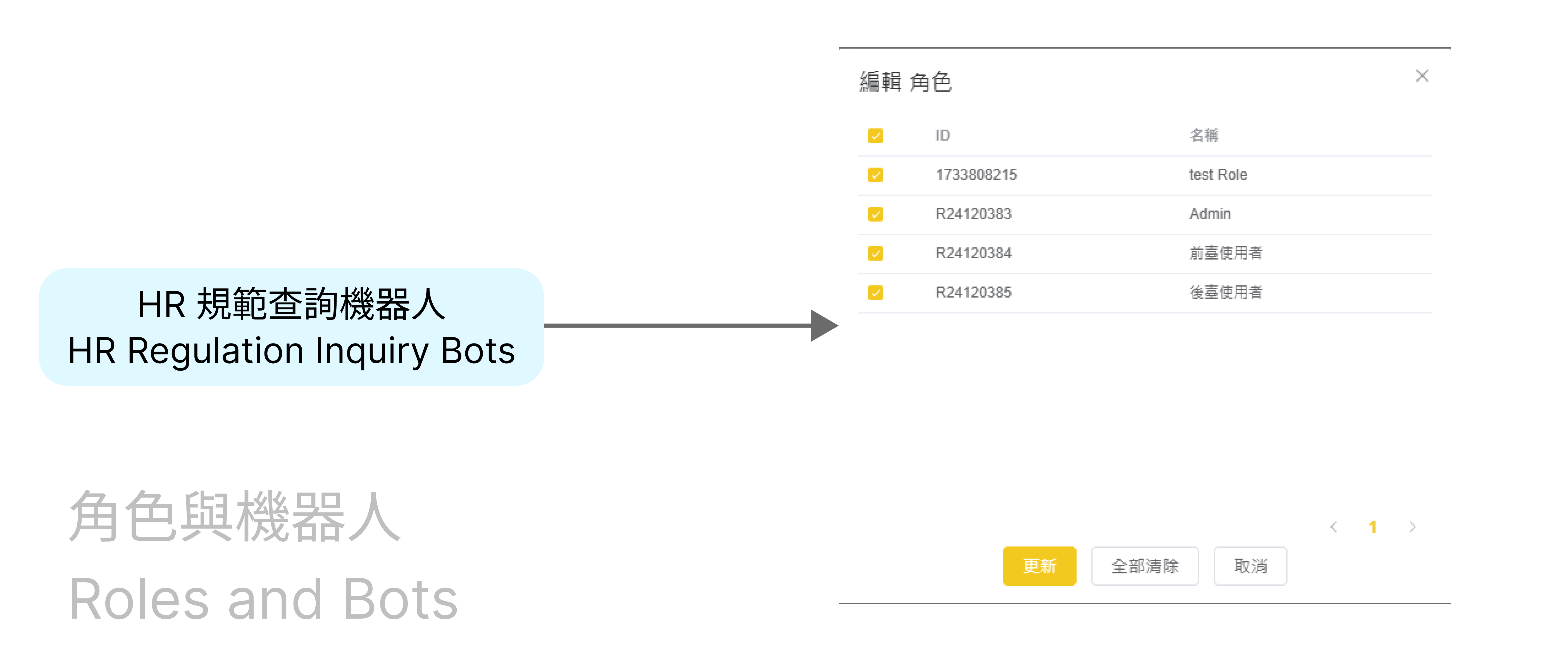
最後,當創建了一個機器人,很重要的是,把機器人與角色連結一起。那麼,身上有此角色的所有成員,就都可以使用這個機器人囉!
When creating a Bot, it is essential to involve certain roles to this Bot. That is to say, all the members given the certain roles are able to initiate this Bot to start a conversation.