
建立一般機器人|Create A Common Bot
- 以翻譯機器人為例 -TransBot As An Example
在此頁,我們將一起建立一個機器人!它是一位翻譯機器人,不需要任何學習資料。跟著我們下方的步驟來快速建立吧!
In this page, we are going to create a new bot, which is proficient in translation, and we don't need to prepare any knowledge files. Follow the steps below, and let's quickly create a new one!

登入Login
建立機器人Create A Bot
啟動對話Start Chat
接下來,我們採圖文說明,一起建立一組翻譯機器人。
In this tutorial, to create a TransBot (Translation Bot), texts and image description will be provided.
在不熟悉操作時,歡迎直接複製我們的範例!
If you're unfamiliar with LumineOne AI, feel free to directly copy our sample texts.
準備好了嗎?讓我們一起來建立機器人吧!
Are you ready? Let's create a Bot!
Step 1: 登入 Login
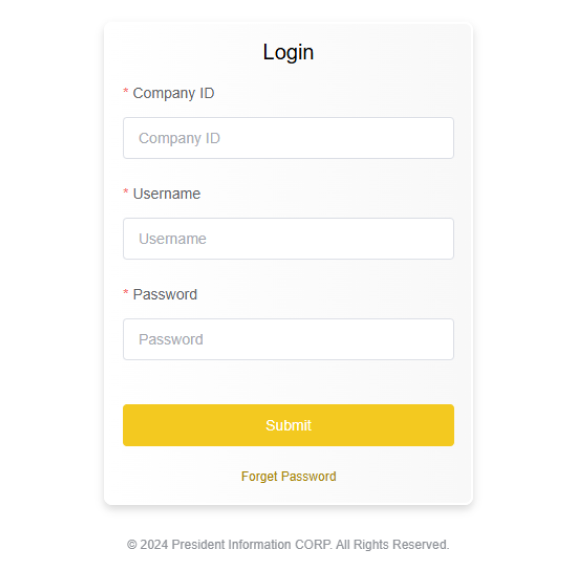
1-1 登入頁|Login Page
請輸入登入資訊,並點擊送出。
Fill out all the information, and click the "Submit" button.
Step 2: 建立機器人 Create A Bot
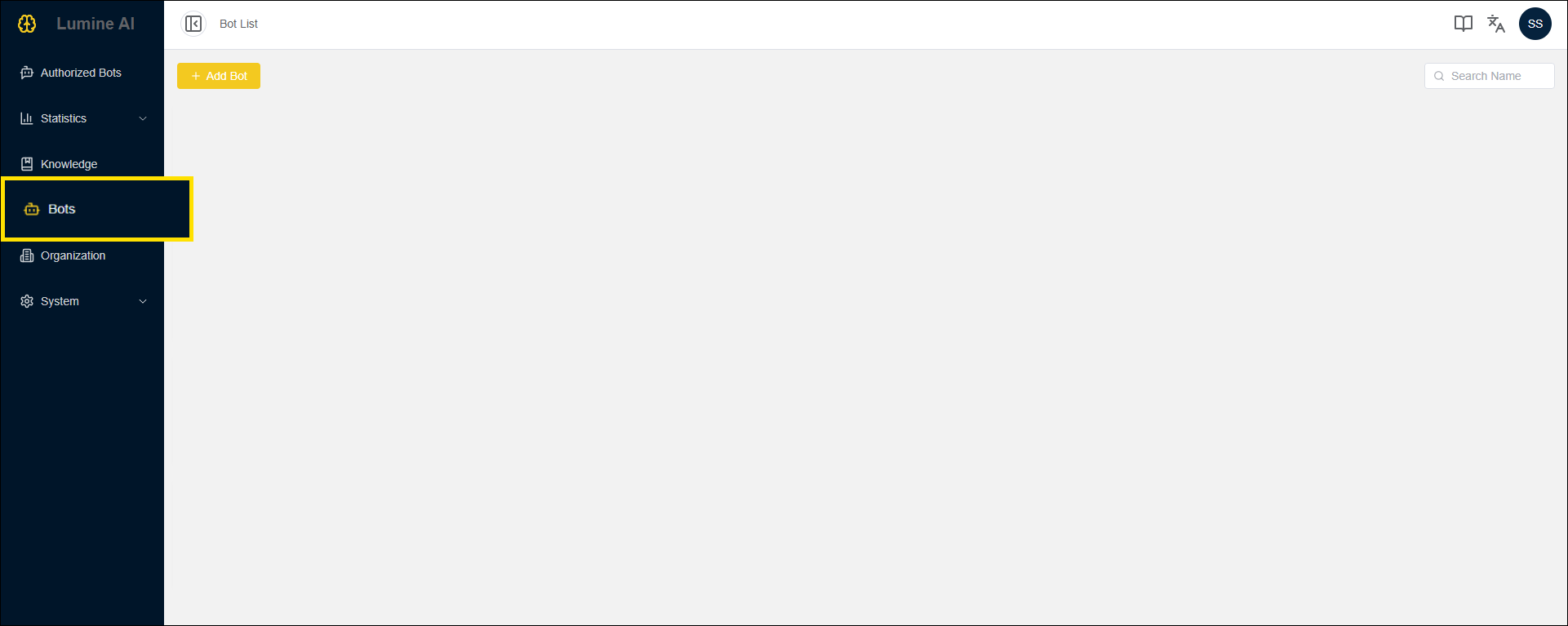
2-1 進入「機器人管理」頁|Link to Bots Page
請於左側導覽區塊,點擊「機器人管理」的連結,即可進入此頁。
Click the “Bots” link in the left side navigation bar.
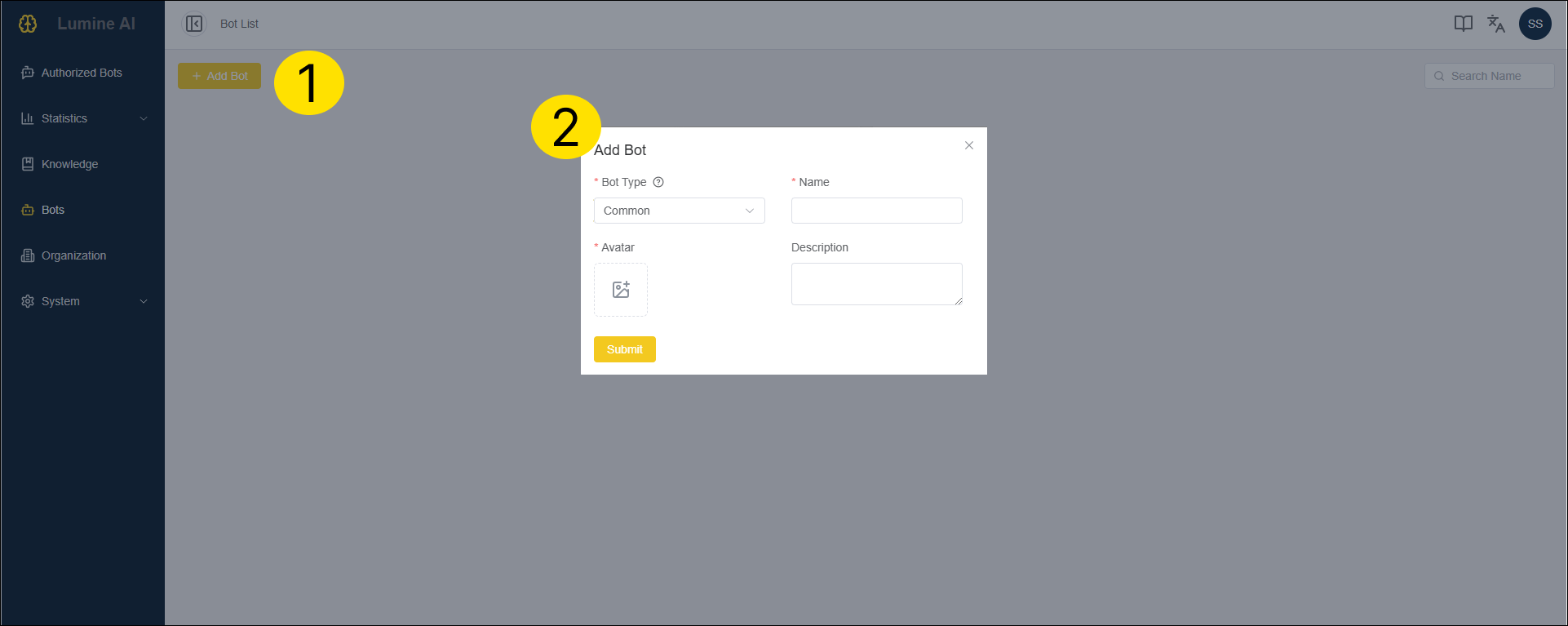
2-2 新增機器人|Add Bot
點擊【新增機器人】按鈕
Click the "Add Bot" button.
完成以下四點後,點擊【送出】按鈕
Fill out the form, and click the "Submit" button.
| 欄位 Name | 說明 Description | 範例 Examples |
|---|---|---|
| 機器人類型 Bot Type | 請點選「一般」,以利建立一般機器人 Select "Common" to create a common bot. | |
| 圖示 Avatar | 請上傳此機器人的圖示,以利辨識與選擇機器人 Upload a image file of the bot. | |
| 名稱 Name | 請輸入機器人的名稱 Enter the bot name. | 翻譯機器人 TransBot |
| 描述 Description | 請提供機器人的描述(非必填欄位,但當多組機器人建立完成,有利於使用者選擇最適合的機器人) Enter the description of the bot | 此機器人用於翻譯中文與英文 This bot can translate English and Chinese. |
2-3 編輯機器人|Edit Bot
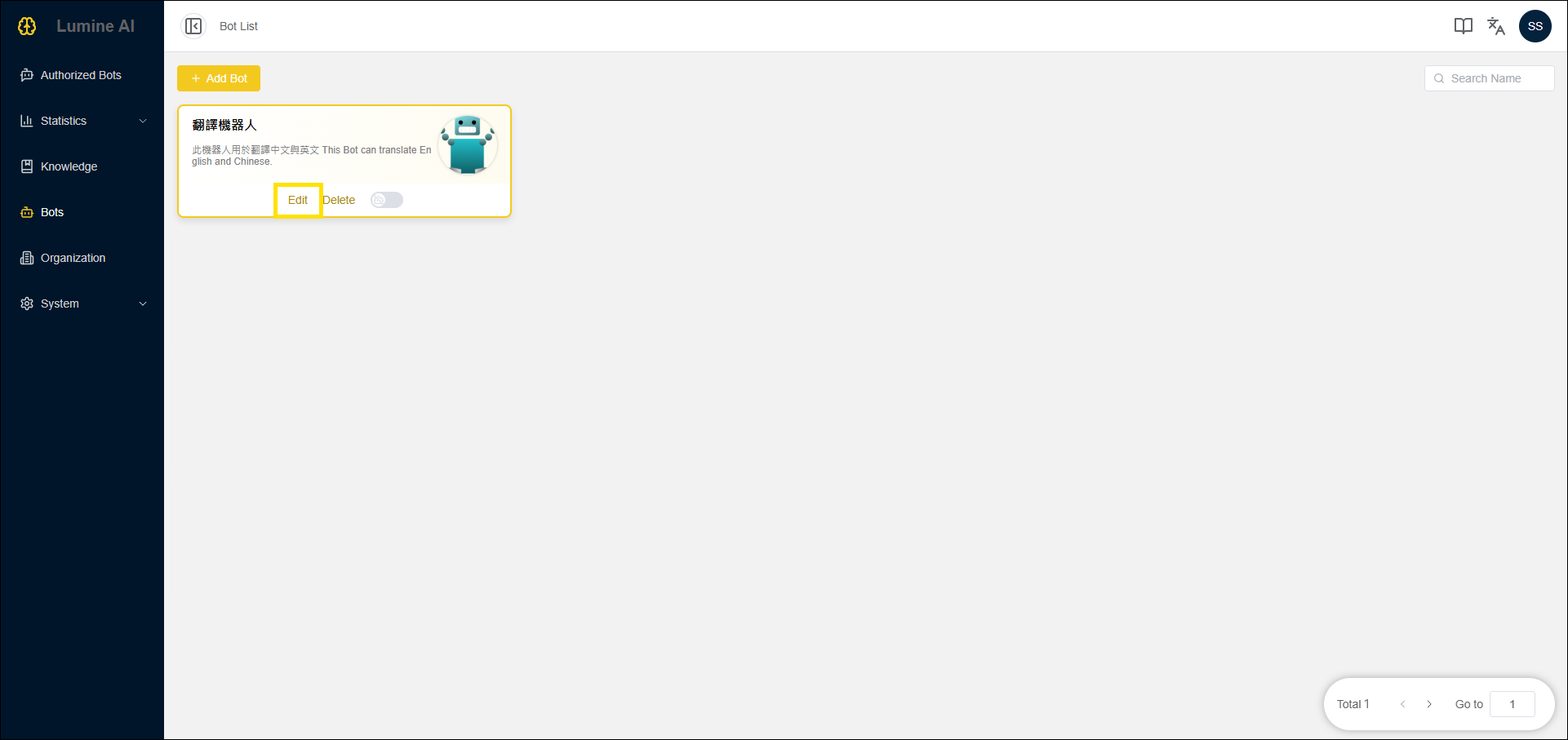
上一步送出後,即可於此頁看到新增的機器人!
You can see a new bot on the list.
剩最後一步就完成建立囉!
Only one step left to complete the setup!
將滑鼠移到您新增的機器人,點擊【編輯】按鈕!
Mouse over the bot block and click the "Edit" button.
2-4 編輯機器人細節-1|Edit Bot Detail Part 1
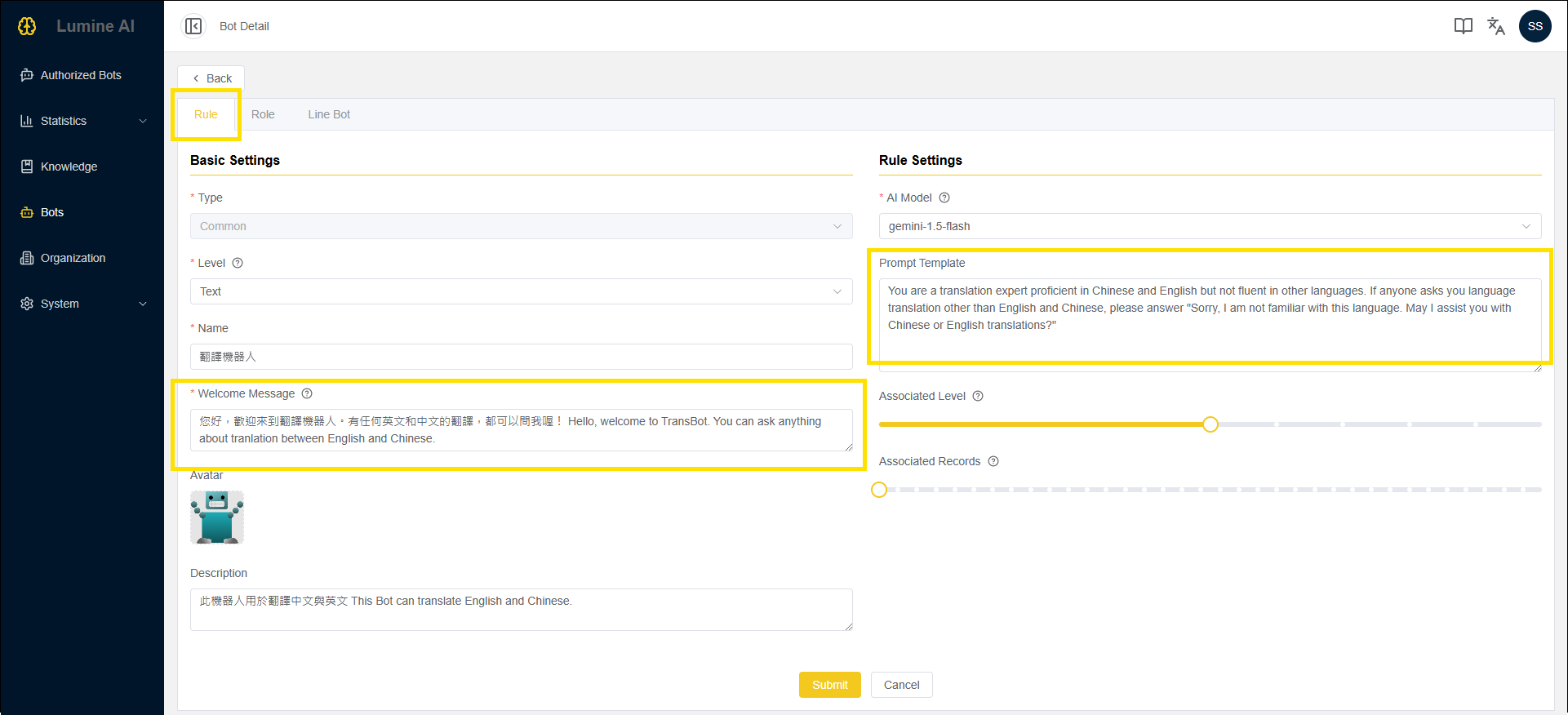
頁籤 Sheet:規則 Rule
機器人名稱、描述、頭像,已於先前步驟輸入完畢,若沒有修改需求,這裡不用異動喔
You don't need to edit the "Name", "Description", and "Avatar", which are already set in the previous step.
完成以下兩點後,點擊【送出】按鈕
Fill out the following two lables, and click the "Submit" button.
| 欄位 Name | 說明 Description | 範例 Examples |
|---|---|---|
| 歡迎語 Welcome Message | 指啟動機器人對話時,機器人所說的第一句話 The first dialogue sent by the bot when the chat room is started. | 您好,歡迎來到翻譯機器人。有任何英文和中文的翻譯,都可以問我喔! Hello, welcome to TransBot. You can ask anything about tranlation between English and Chinese. |
| 提示模板 Prompt Template | 指對機器人下的指令,使機器人在特定情境、角色設定等方式完成任務 This field allows users to enter instructions to the Bot. These instructions help guide the bot to complete a task in a specific way. | 你是一個翻譯專家,精通中文和英文,但不精通其他語言,因此若有人詢問其他語言的翻譯,請回答「抱歉,我對這個語言不太熟悉,請問我中文和英文的翻譯」 You are a translation expert proficient in Chinese and English but not fluent in other languages. If anyone asks you language translation other than English and Chinese, please answer "Sorry, I am not familiar with this language. May I assist you with Chinese or English translations?" |
2-5 編輯機器人細節-2|Edit Bot Detail Part 2
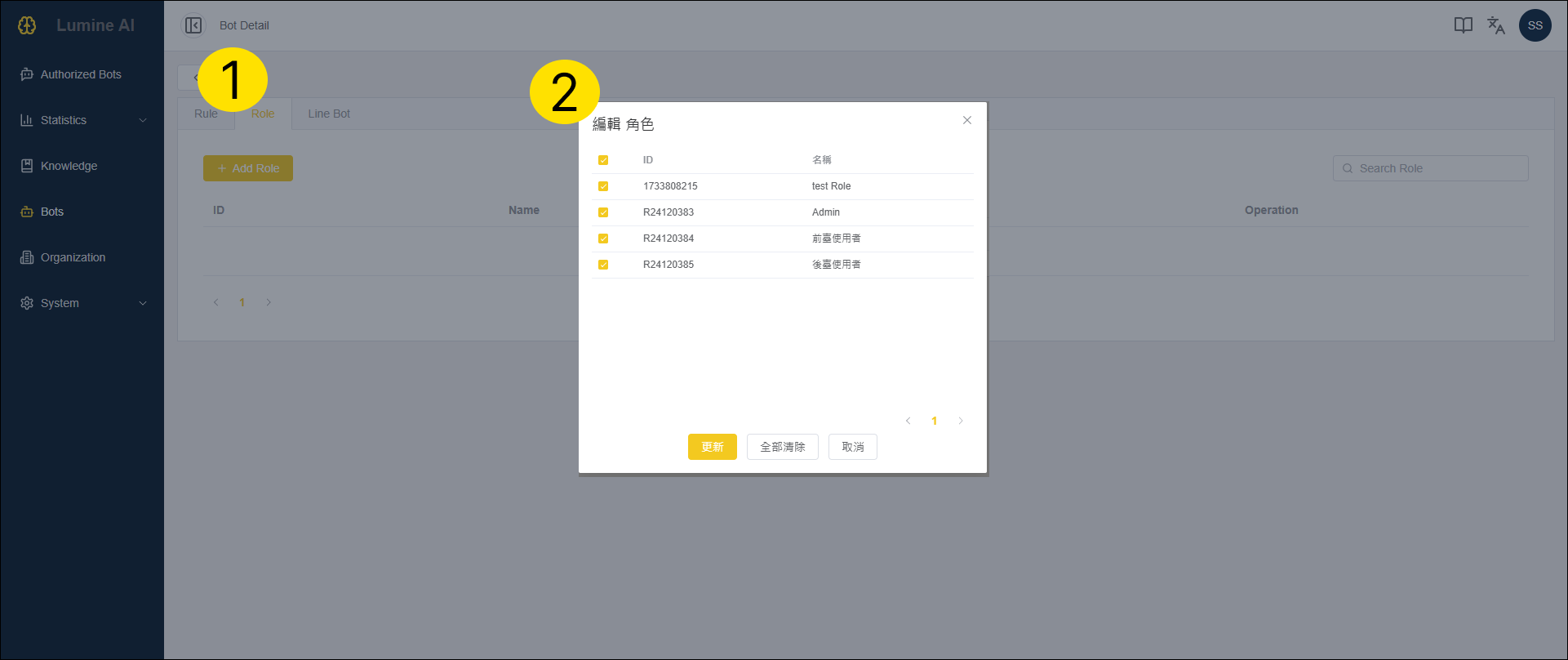
頁籤 Sheet:規則 Role
點擊【編輯角色】按鈕
Click the "Edit Role" button.
將角色全選,點擊【更新】按鈕
Select all roles, and click the "Update" button.

2-6 啟動機器人|Deploy the Bot
最後一步,按照圖片指示,啟動機器人,就大功告成囉!
The last step, follow the image instruction to deploy the bot. And, all done!
Step 3: 啟動對話 Start Chat
3-1 進入「授權機器人」頁|Link to Authorized Bots Page
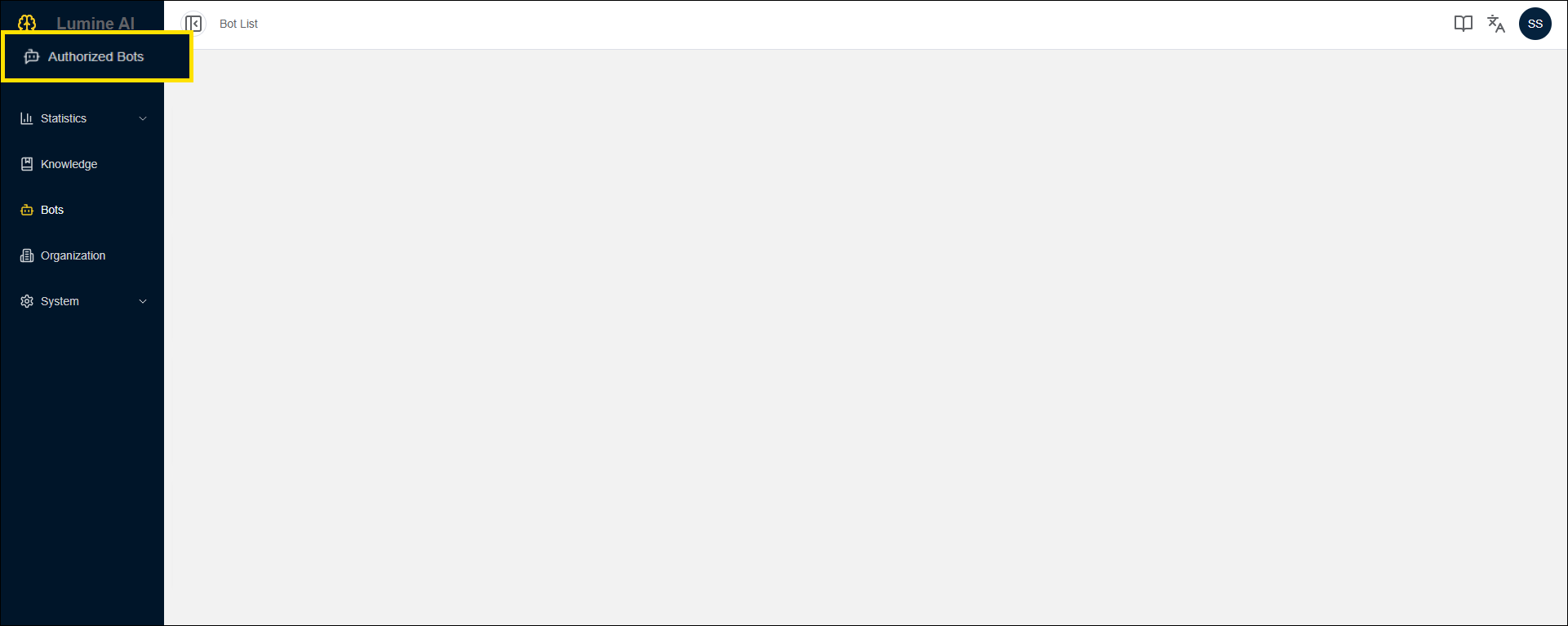
請於左側導覽區塊,點擊「授權機器人」的連結,即可進入此頁。
Click the “Authorized Bots” link in the left side navigation bar.
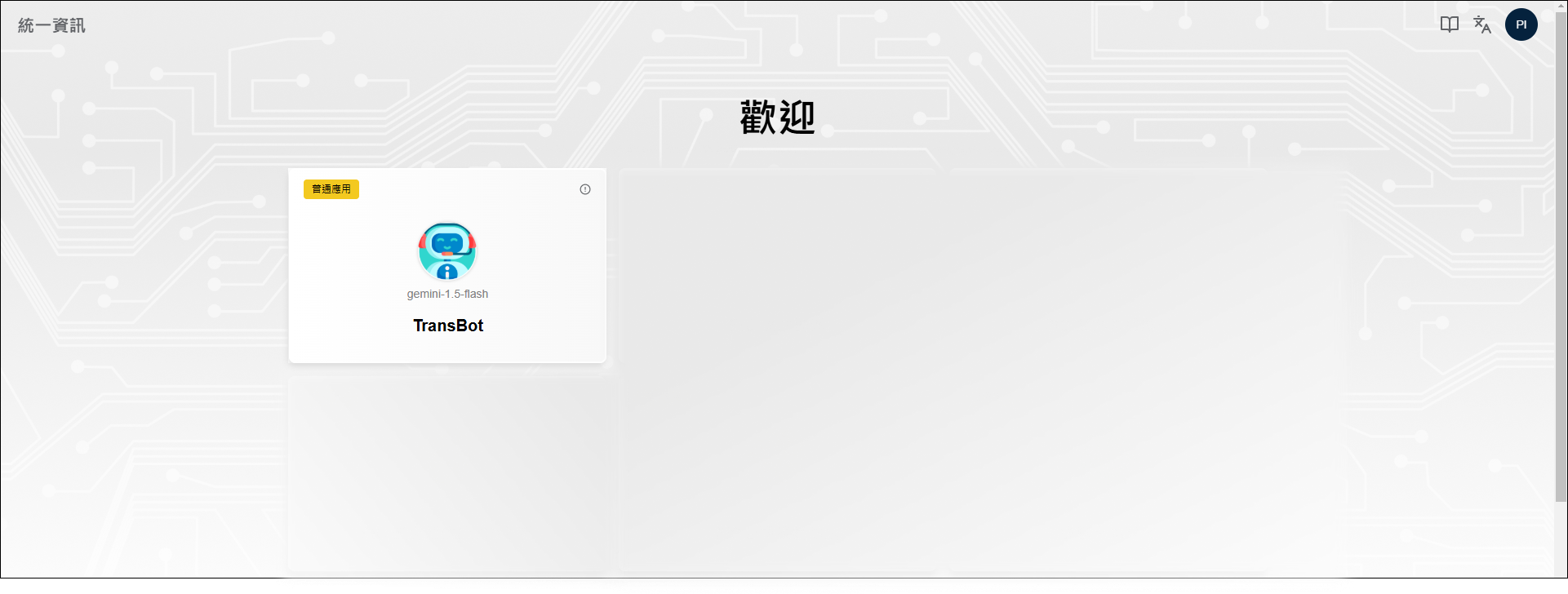
3-2 選擇機器人|Select the Bot
請點選「翻譯機器人」以啟動對話
Select "TransBot" to start chatting.
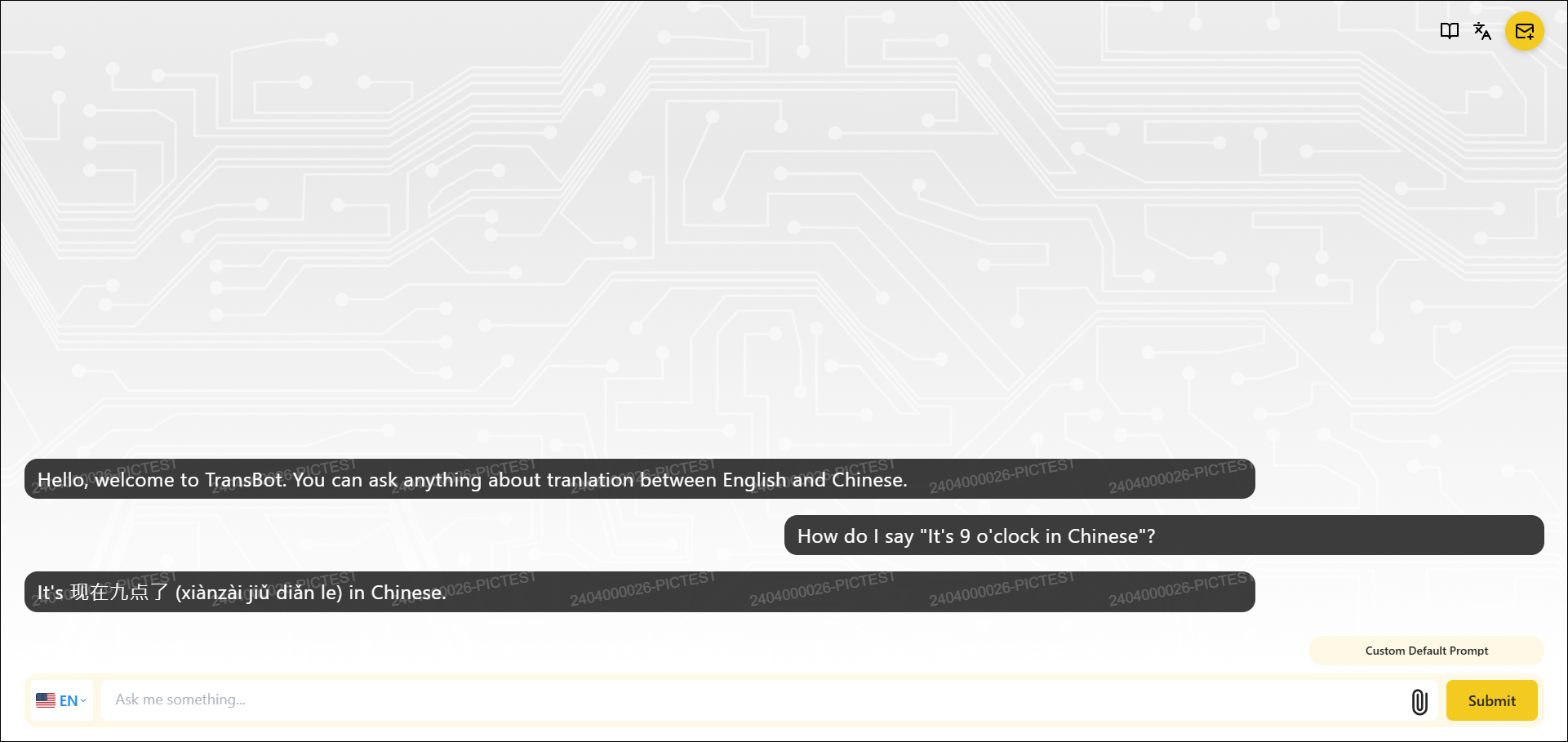
3-3 對話視窗-中英翻譯|Chatting-Translation between English and Chinese
詢問【How do I say "It's 9 o'clock in Chinese"?】得到中文翻譯
Ask [How do I say "It's 9 o'clock in Chinese"?] and get its response.
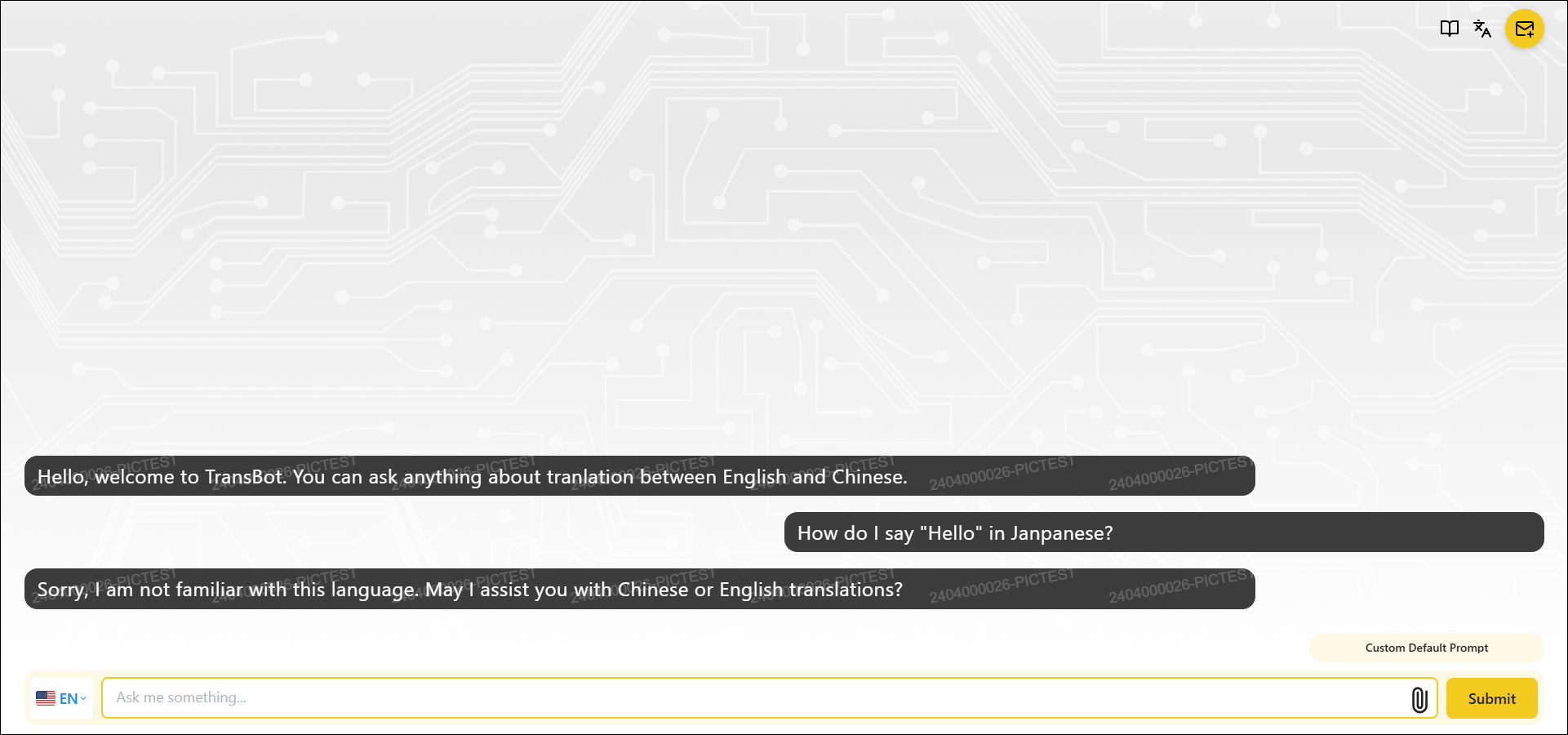
3-4 對話視窗-日文翻譯|Chatting-Translation between English and Japanese
試試看輸入【How do I say "Hello" in Janpanese?】,機器人的回答,是否同此教學頁2-4章節的提示模板:若有人詢問其他語言的翻譯,請回答「抱歉,我對這個語言不太熟悉,請問我中文和英文的翻譯」。
Ask [How do I say "Hello" in Janpanese?] and get the response as what the prompt template you set in 2-4 of this page (If anyone asks you language translation other than English and Chinese, please answer "Sorry, I am not familiar with this language. May I assist you with Chinese or English translations?").
因此,提示設定是一個很重要的工具,可以幫助建立機器人的特徵與性格喔!
As a result, "prompt template" is an important tool to establish a Bot's features and personalities!
**小提示:若已熟悉建立機器人,可以嘗試看看,於2-4章節中,提示模板的地方,新增描述機器人的性格,例如容易興奮的、充滿正向回答的,再看看回答會有什麼不一樣吧!
**Hint: Back to Step 2-4, and try to provide more prompt description for the Bot, like easily excited or full of positivity. You will find various responses based on different prompts.