
設定Line機器人|Line Bot
A. Line Bot頁|Line Bot Sheet
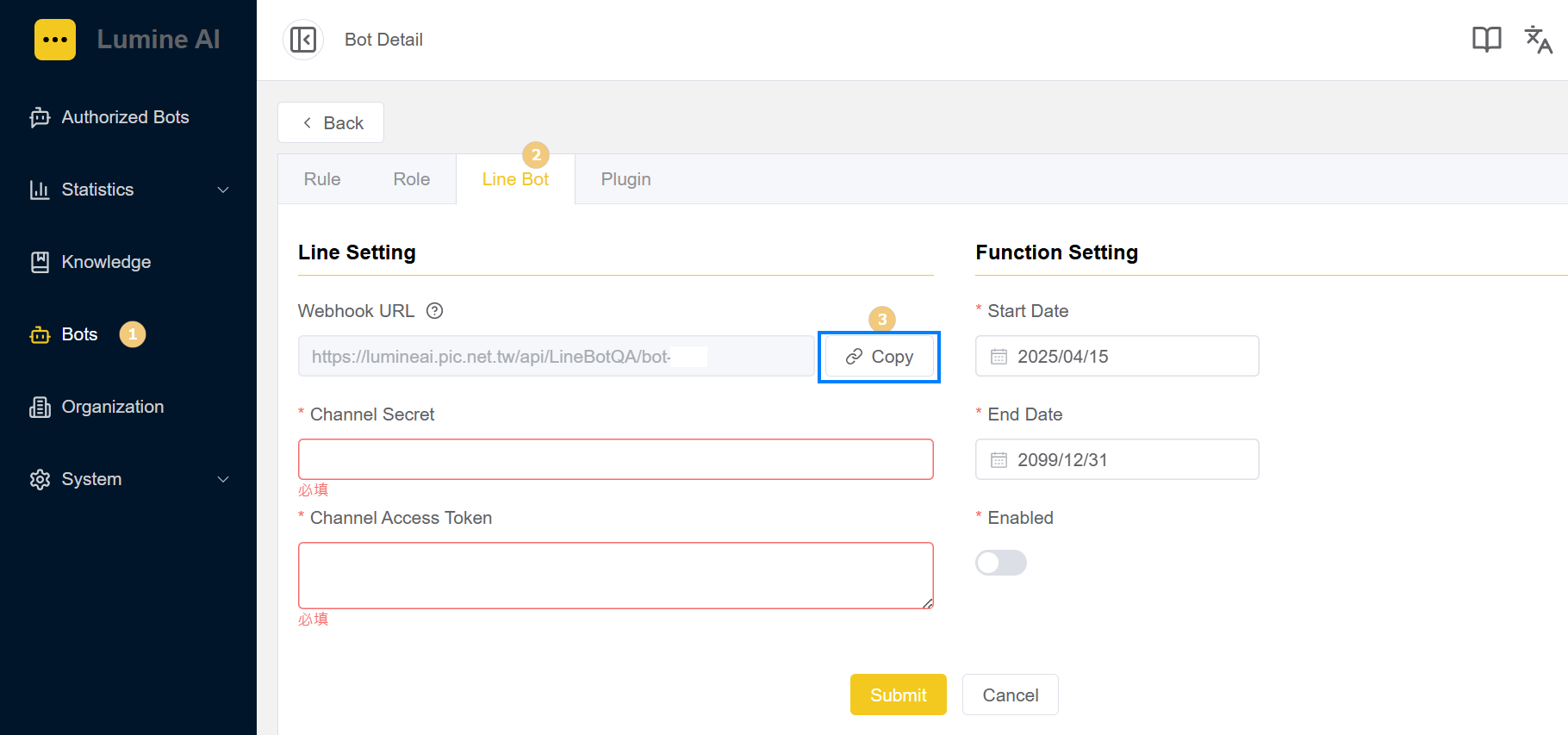
- 機器人管理:選定欲綁定Line的機器人;
Bots Edit: Choose the bot you want to connect to Line - 點選Line Bot頁:準備進行Line設定
Line Bot sheet: Ready to configure Line settings - 點選複製:複製機器人的Webhook URL
Click Copy: copy the Webhook URL
B. LINE Official Account Manager

- 點選設定;
Click Setting - 切換至Messaging API頁;
Switch to Messaging API sheet - 貼上複製的Webhook URL並儲存;
paste and save "Webhook URL" - 連結至LINE Developers Console;
Click on the LINE Developers Console link
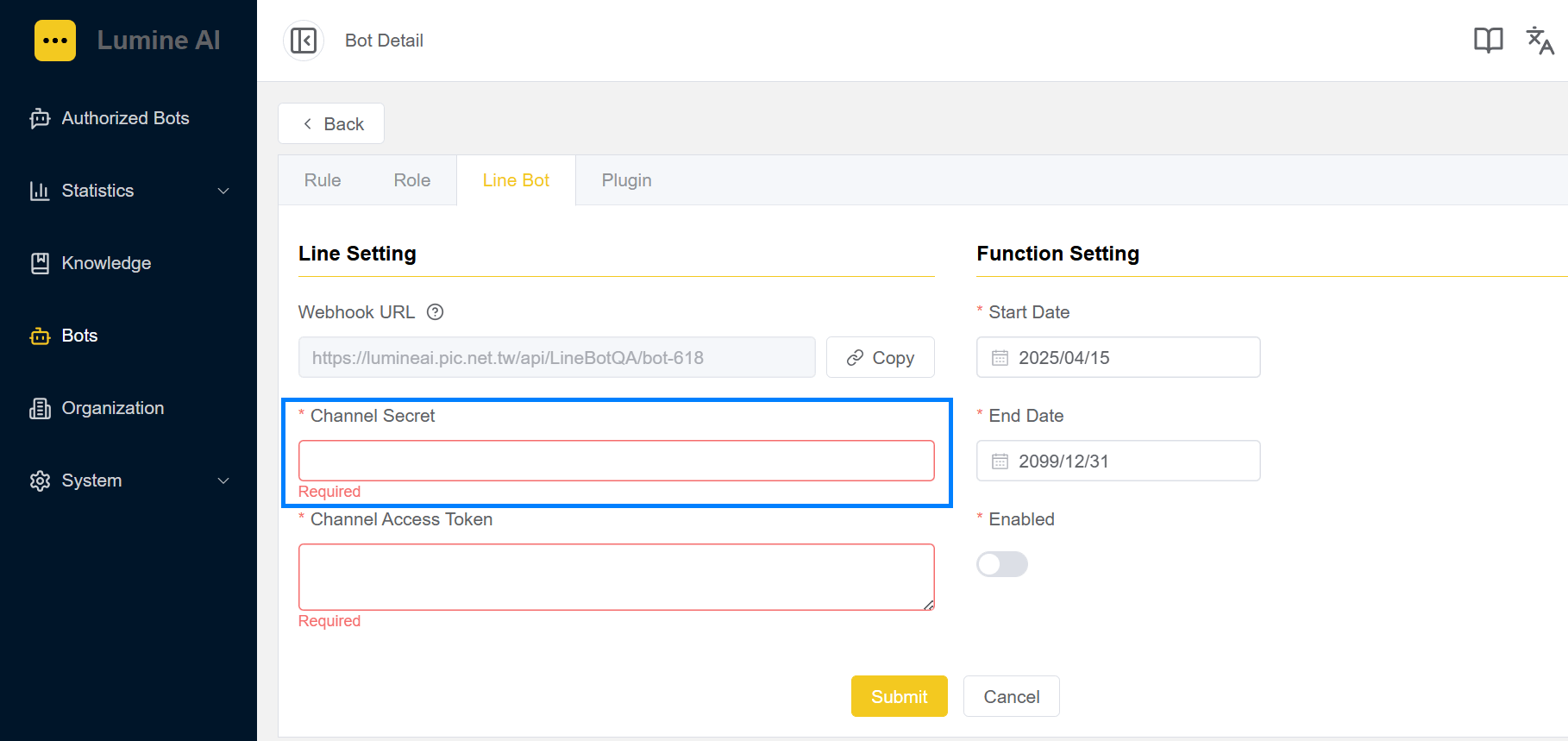
※ Channel Secret的值貼至LumineOne AI的Line Bot設定頁;
Paste the Channel Secret value into the Line Bot page
C. LINE Developers Console
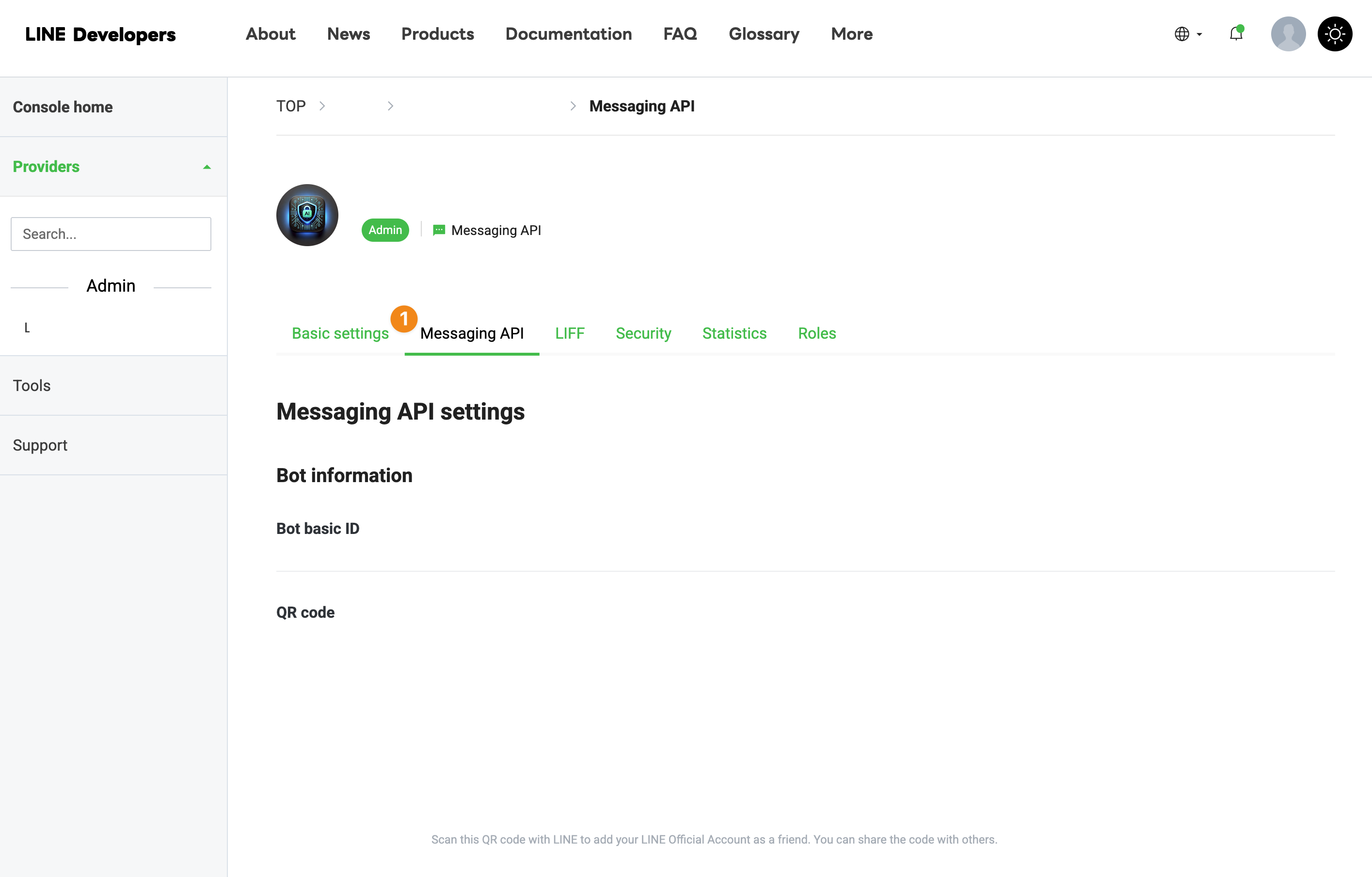
開啟Line Developer,選擇Channel後,切換至Messaging API;
Open Line Developer, select Channel, then switch to Messaging API sheet

- 點選驗證;
Click Verify Webhook URL - 開啟設定;
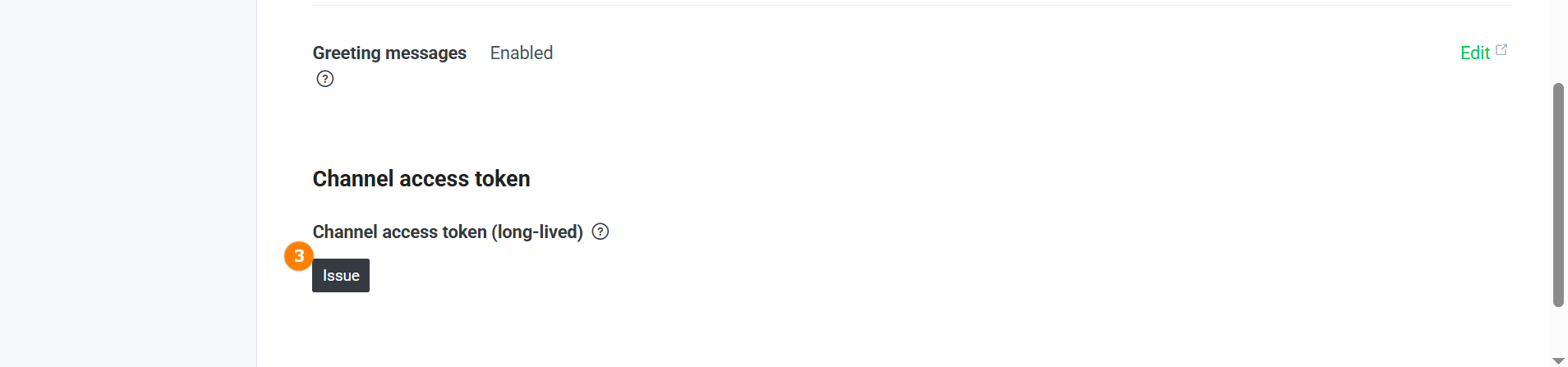
Turn Off "Use Webhook" - Channel access token項目,點選發行,產生token;
Issue Channel access token

- 按下Issue產生 Token;
Click Issue to generate token value - 將 Token 值複製;
Copy the token value
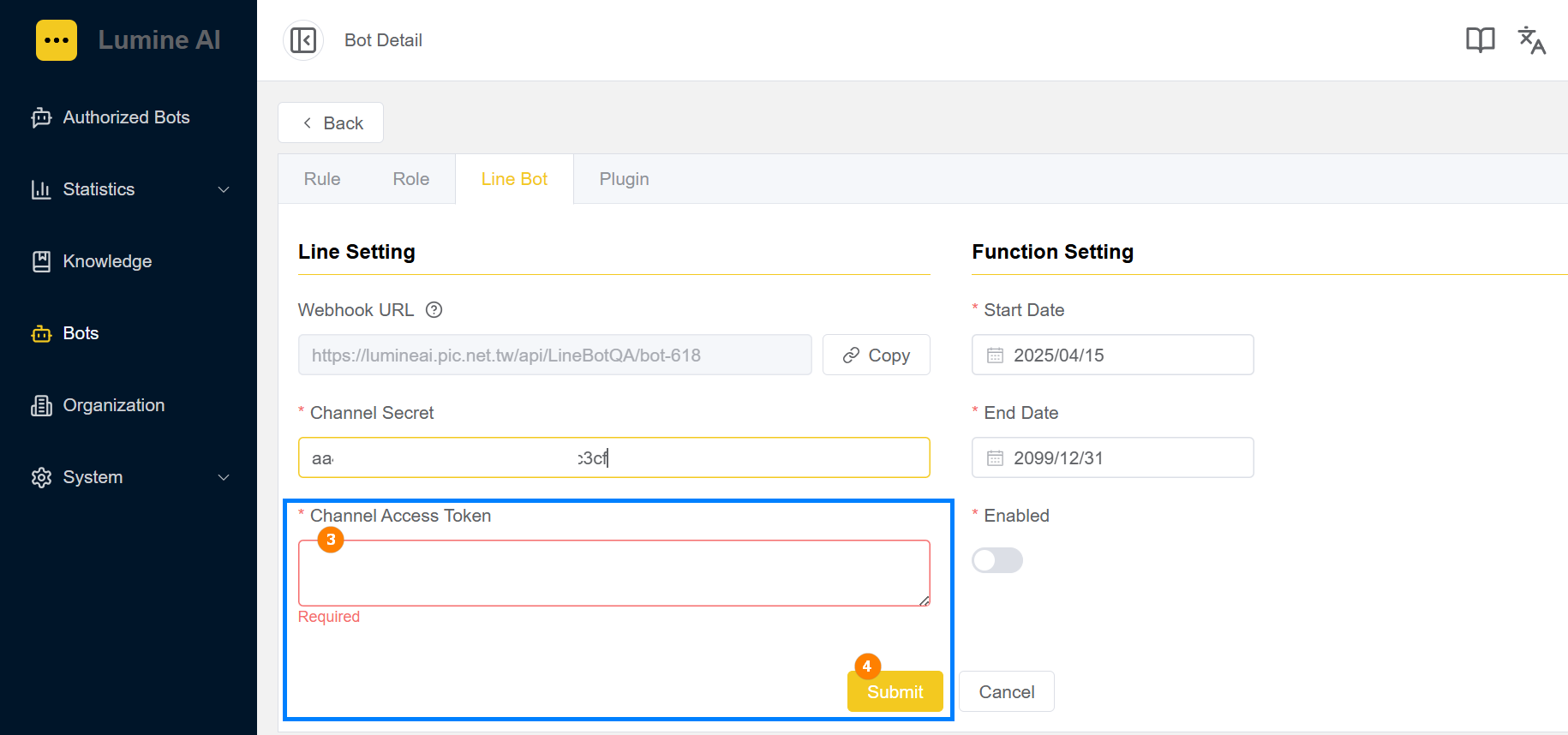
3.回填token值;
then paste the Channel Access Token value
4.儲存完成;
Click Submit to finish setting