
導覽|Navigation
我們將快速瀏覽 LumineOne AI 的功能列表,一起來初步了解我們所提供的服務吧!
In this page, we are going to have a quick tour on LumineOne AI's navigation list!

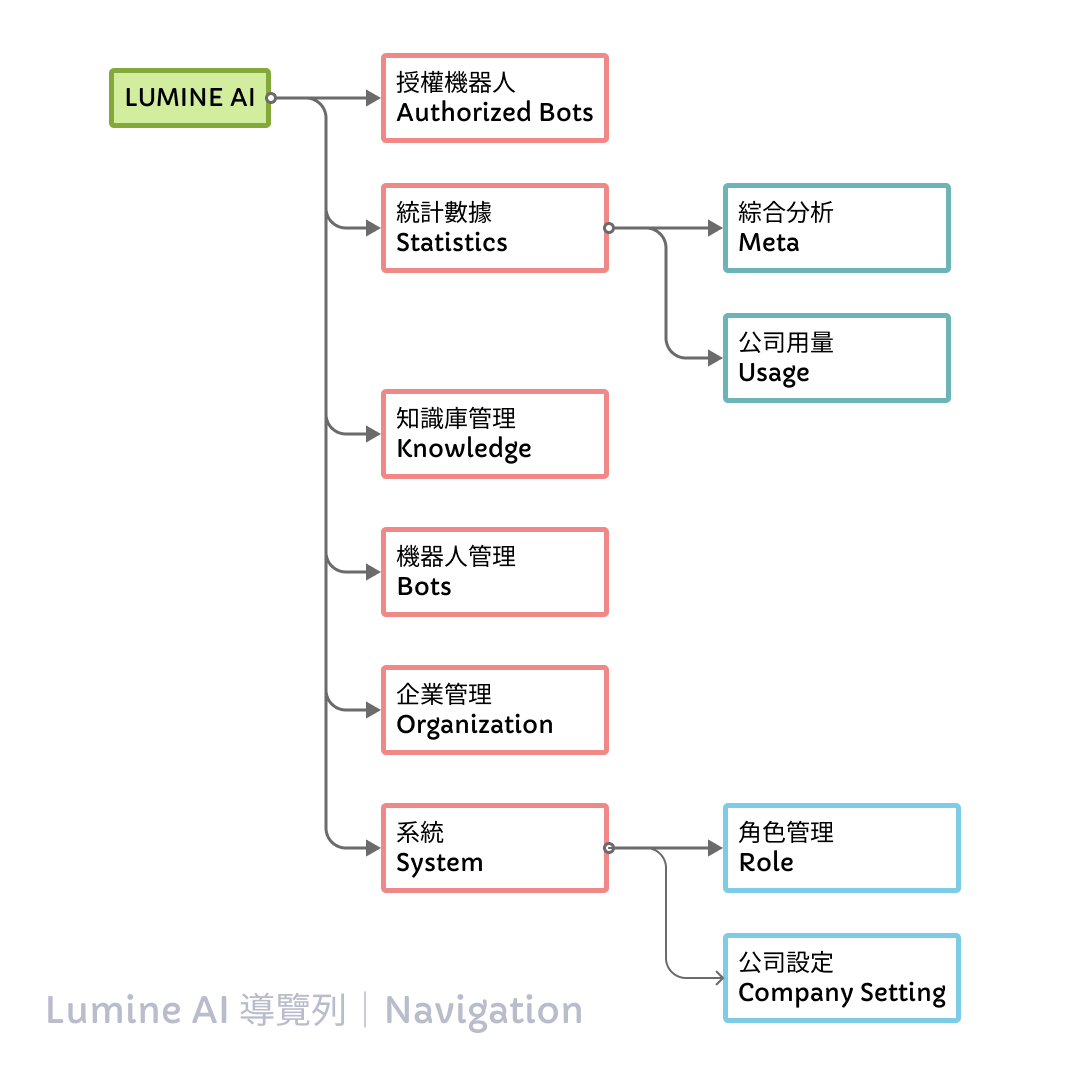
功能列表|
Navigation List
LumineOne AI 後臺系統提供多項模組,包含統計資料、各項管理與設定,且管理員也可設定不同登入角色所使用的權限!
LumineOne AI provides various modules, including statistics, management and setting functions from different perspectives. In addition, admins can also set the permissions for different login roles.
授權機器人|Authorized Bots
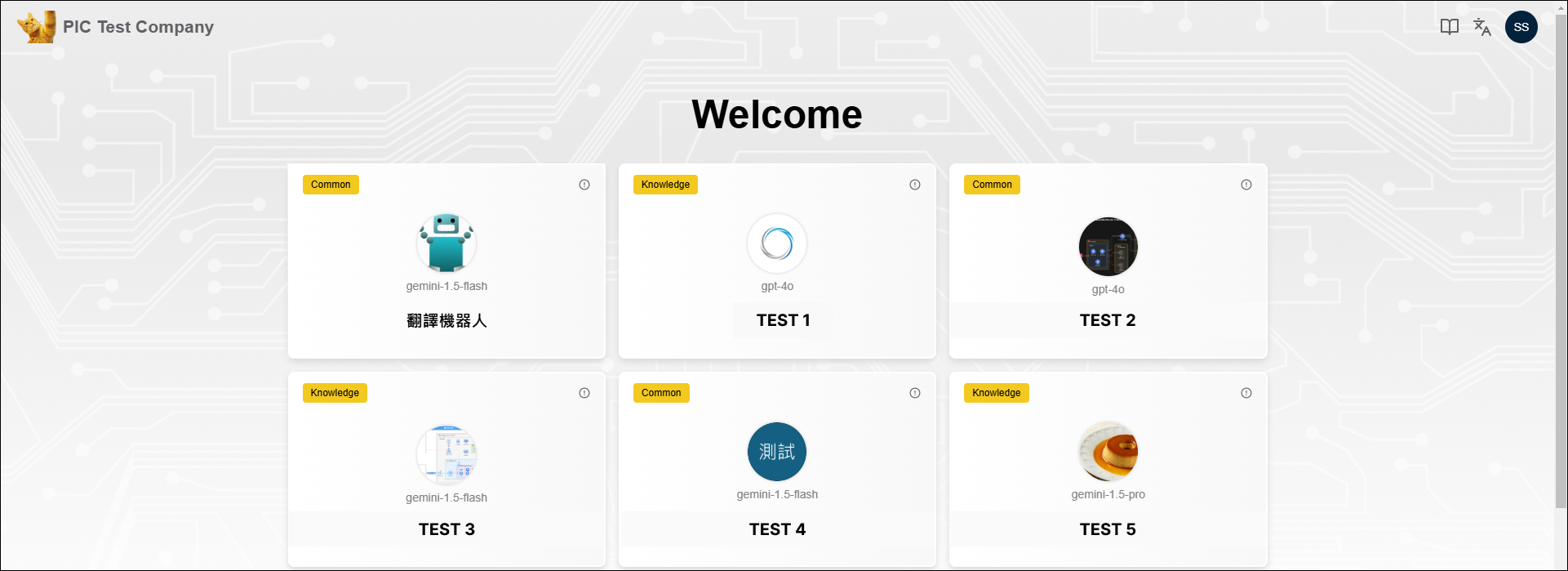
依據不同的登入角色,展示可供使用的機器人。
Display a list of available Bots based on different login roles.
統計數據(Statistics)_綜合分析(Meta)
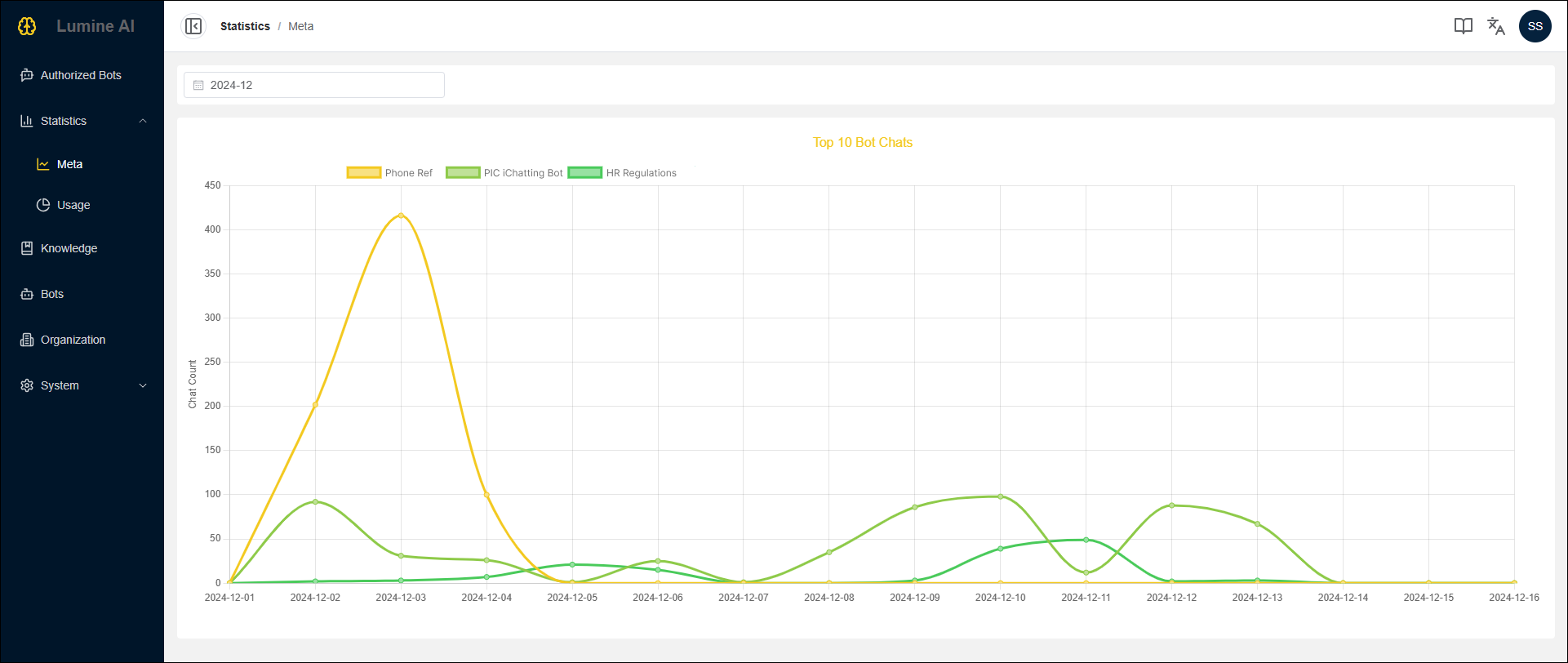
依據使用者設定指定月份,顯示每日使用量占比前十名的機器人。
Display the daily usage statistics of the top 10 bots for a specific month selected by users.
統計數據(Statistics)_公司用量(Usage)
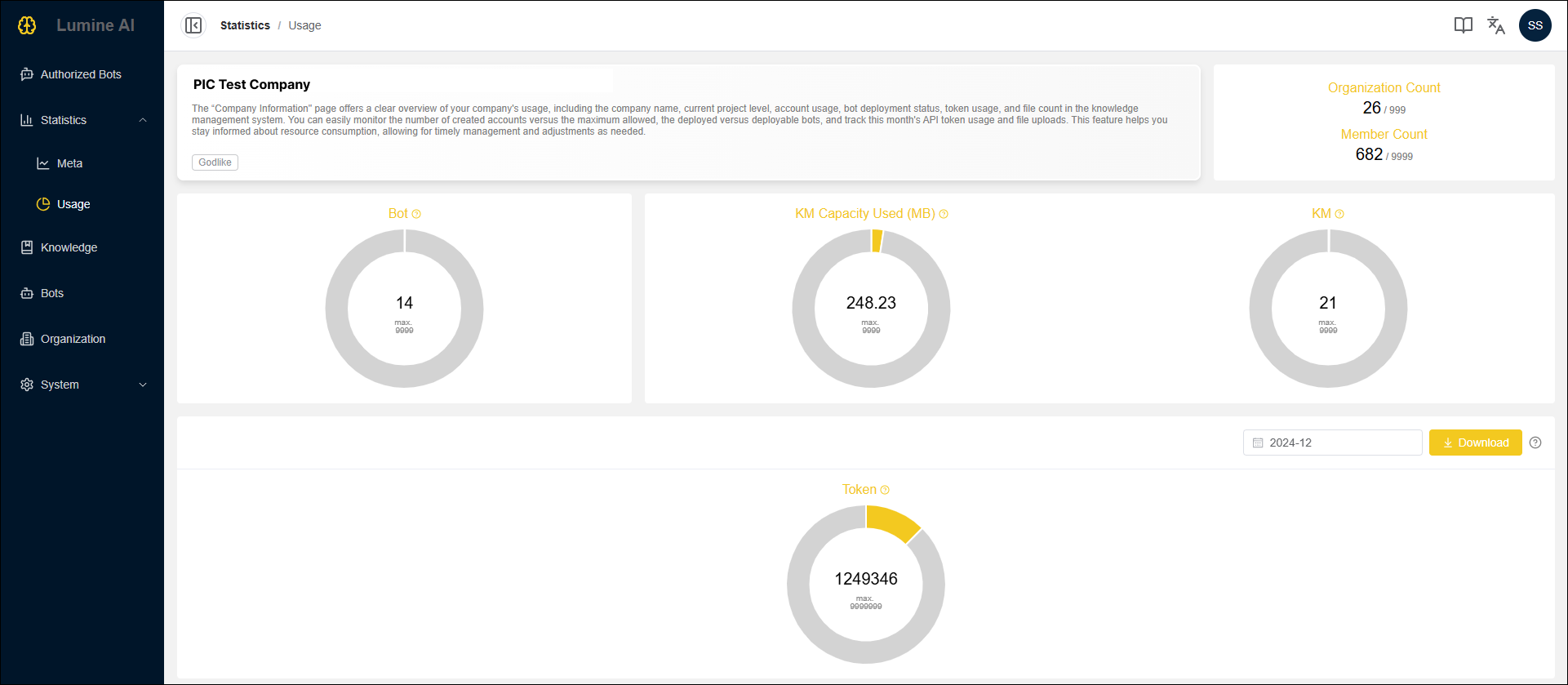
展示公司名稱、當前方案等級、帳號使用數量、機器人部署情況、Token 使用量以及知識管理系統中的檔案數量。協助您隨時了解資源的使用情況,便於做出適時的管理和調整決策。
Display the company name, current project level, account usage, bot deployment status, token usage, and file count in the knowledge management system. This feature helps you stay informed about resource consumption, allowing for timely management and adjustments as needed.
知識庫管理|Knowledge
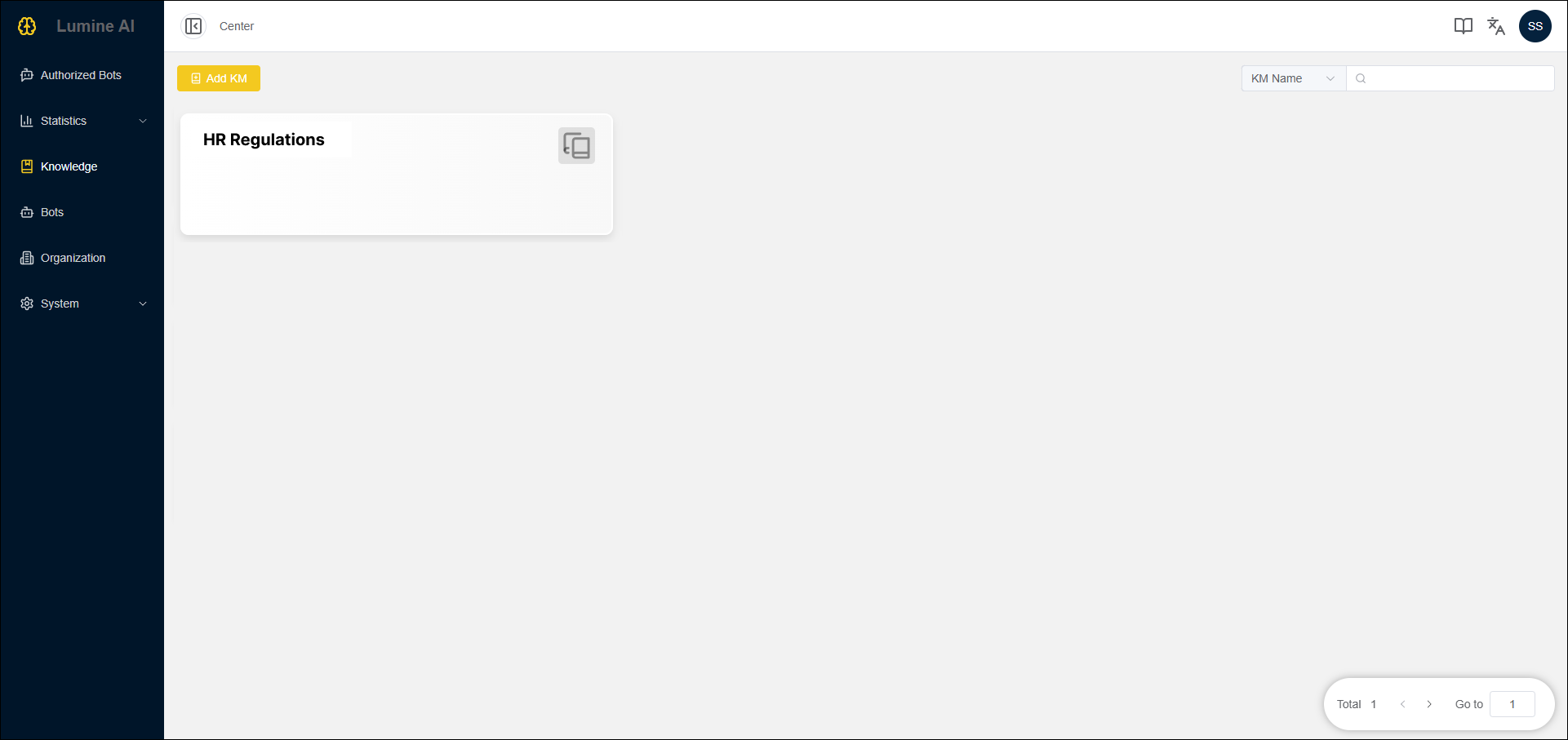
知識庫列表,可進行新增、編輯、刪除知識庫,或管理存放於知識庫內的知識檔案。
Display a list of Knowledge Bases, where users can create, edit and delete each Base or manage knowledge files in Bases.
機器人管理|Bots
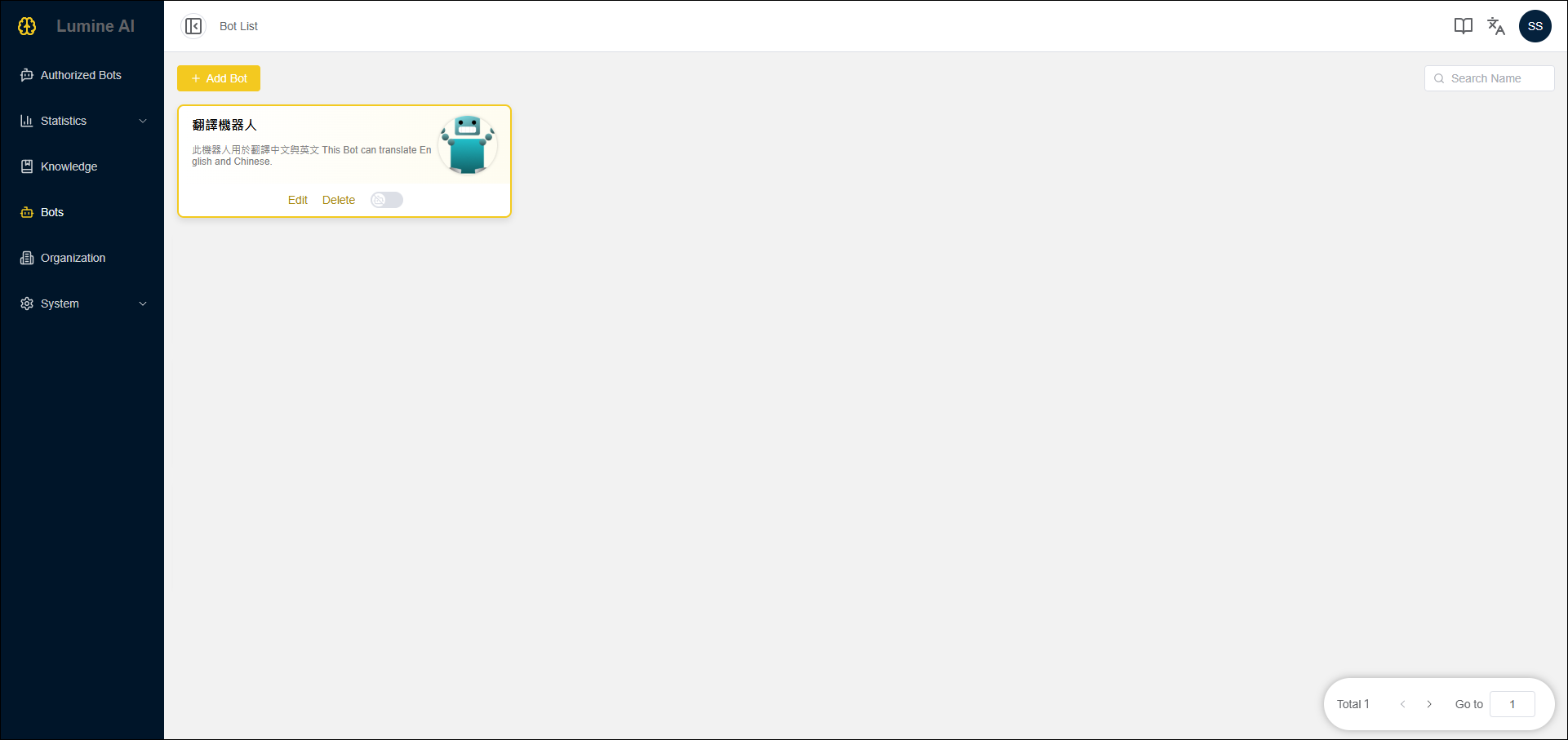
機器人列表,可進行新增、編輯、刪除、啟動、下架機器人。
Display a list of Bots, where users can create, edit, delete, deploy and undeploy each Bot.
企業管理|Organization
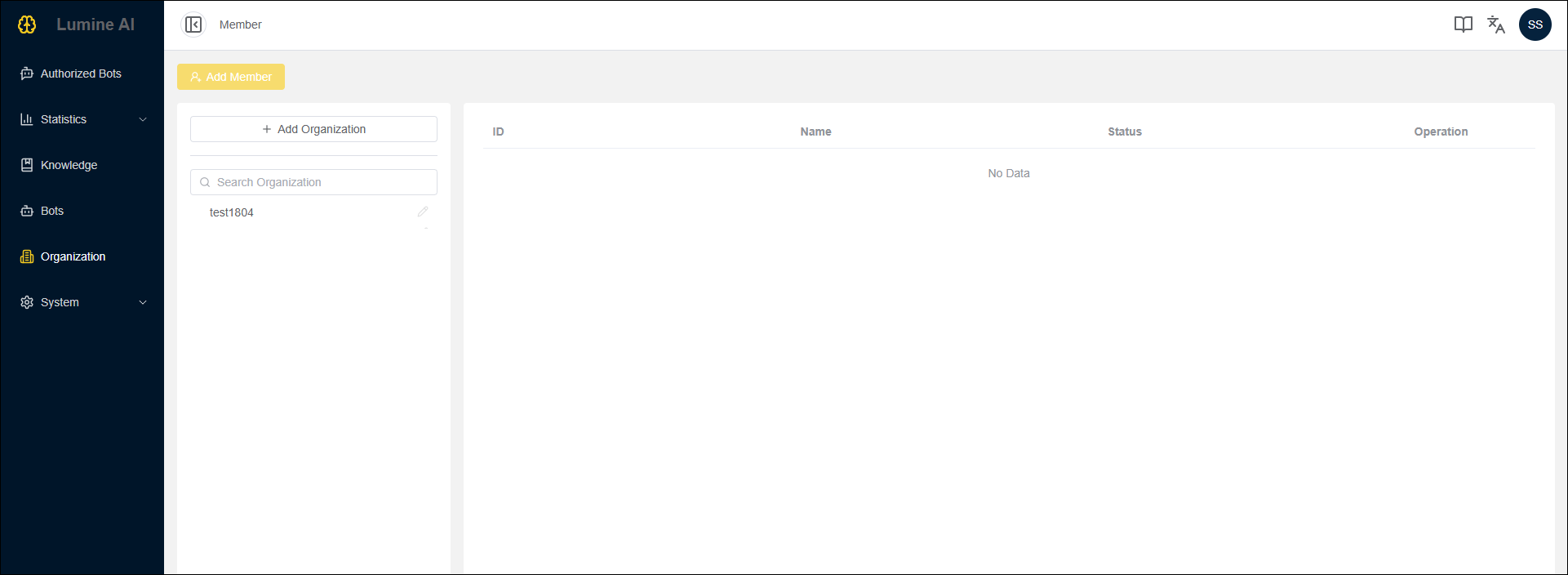
企業組織列表,可進行新增、編輯、刪除組織,或管理組織架構內的成員列表
Display a list of organizations, where users can create, edit and delete each organization or manage roles in different organizations.
系統(System)_角色管理(Role)
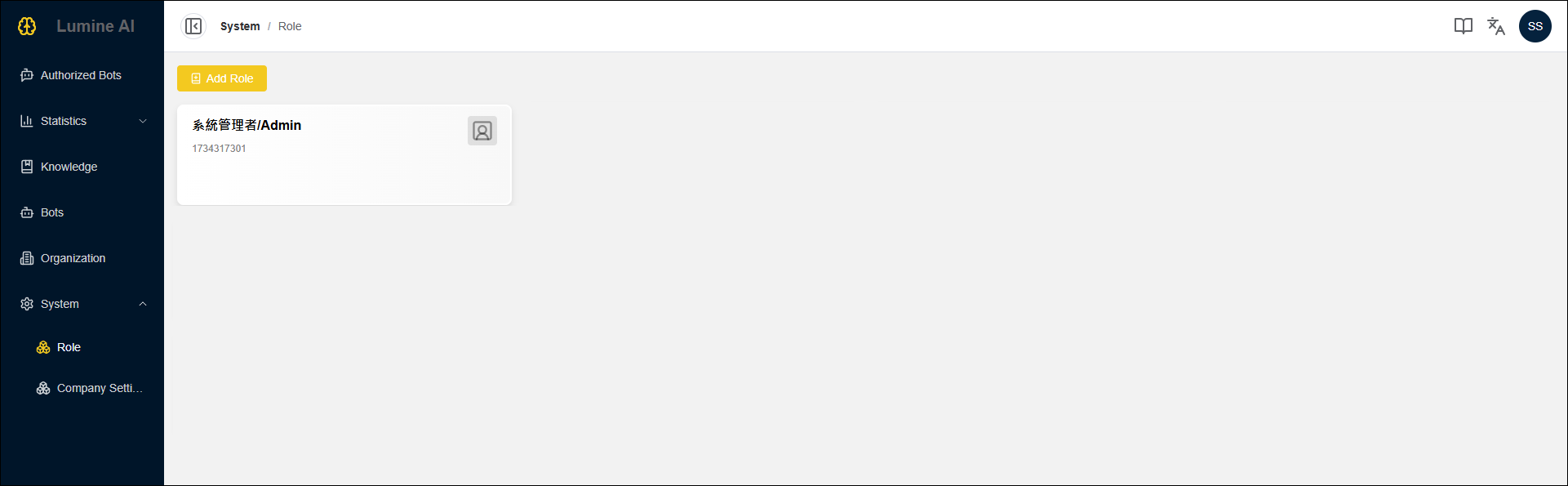
角色列表,可進行新增、編輯、刪除角色,並綁定每個角色可使用的權限。
Display a list of roles, where users can create, edit and delete each role. Also, this feature is tied to the permissions that can be assigned to each role.
系統(System)_公司設定(Company Setting)
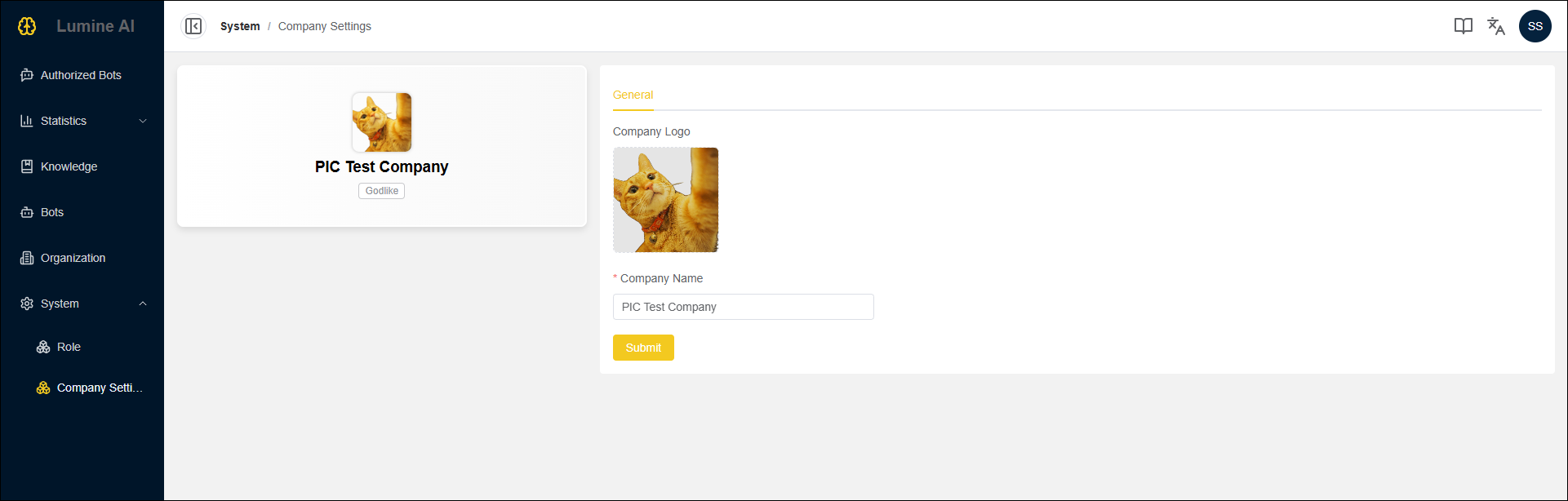
設定公司名稱和LOGO。
To set company name and logo.